
Chatbots for eCommerce: How to Boost Sales & Cut Costs


Shoppers who use AI chat convert at 12.3%, versus 3.1% without it, a 4X increase according to HelloRep’s ecommerce AI data. That single number changes the conversation. Chatbots for ecommerce aren’t a support add-on anymore. Used well, they influence revenue, speed up decisions, and remove the friction that kills purchases.
That matters even more for brands selling in crowded markets. On your own site, a chatbot can answer objections before a customer bounces. Off your own site, the same chat data can tell you exactly which product details are missing, which comparisons matter most, and which questions your Amazon listing still fails to answer.
A lot of teams still treat chatbots as a box to tick. They launch a widget, load a few FAQs, and hope for the best. That approach rarely works. The chatbots that produce real results are tied to product data, integrated with the rest of the ecommerce stack, and managed like part of the sales funnel rather than a side project.
If you want a parallel example of how guided AI support affects store performance, this breakdown of how sales AI drives Shopify revenue is useful because it shows the commercial logic behind conversational selling, not just the technology.
Your Guide to eCommerce Chatbots in 2026
Customers expect immediate help. They don’t want to dig through shipping pages, compare five near-identical products alone, or wait for a reply to a basic pre-purchase question. When those answers aren’t available in the moment, many of them leave.
That’s why chatbots for ecommerce have moved from “nice to have” to operational necessity. They solve a very specific retail problem. Brands need to scale one-to-one guidance without scaling a support team at the same rate.
What separates useful bots from wasted effort
The difference isn’t whether you have a chatbot. It’s whether the bot helps a customer buy.
A useful ecommerce chatbot does a few things well:
Answers buying questions fast: Size, compatibility, delivery, stock, returns, and feature differences.
Guides product discovery: It narrows options instead of forcing customers to browse blindly.
Captures decision signals: It records what buyers are unsure about, what they compare, and what nearly stops the sale.
Escalates cleanly: If the query needs a person, the handoff happens without making the customer start over.
A weak chatbot does the opposite. It traps people in canned replies, guesses when it should verify, and creates more work for support.
Practical rule: If your chatbot can’t help a customer choose, trust, or complete a purchase, it’s not a revenue tool. It’s just another pop-up.
Why this matters for Amazon sellers
Amazon sellers have a different challenge. You can’t rely on an on-page chatbot inside the Amazon product detail page. But that doesn’t make chat strategy irrelevant. It makes the strategy more interesting.
The smartest use of chatbots for ecommerce in an Amazon-heavy business is often off-Amazon. Put the bot on your DTC site, landing pages, or social channels. Then use the questions, objections, and comparison language from those chats to tighten your Amazon bullets, descriptions, images, and A+ Content.
That’s where chat data stops being a support asset and starts becoming marketplace intelligence.
What Are eCommerce Chatbots and How Do They Work
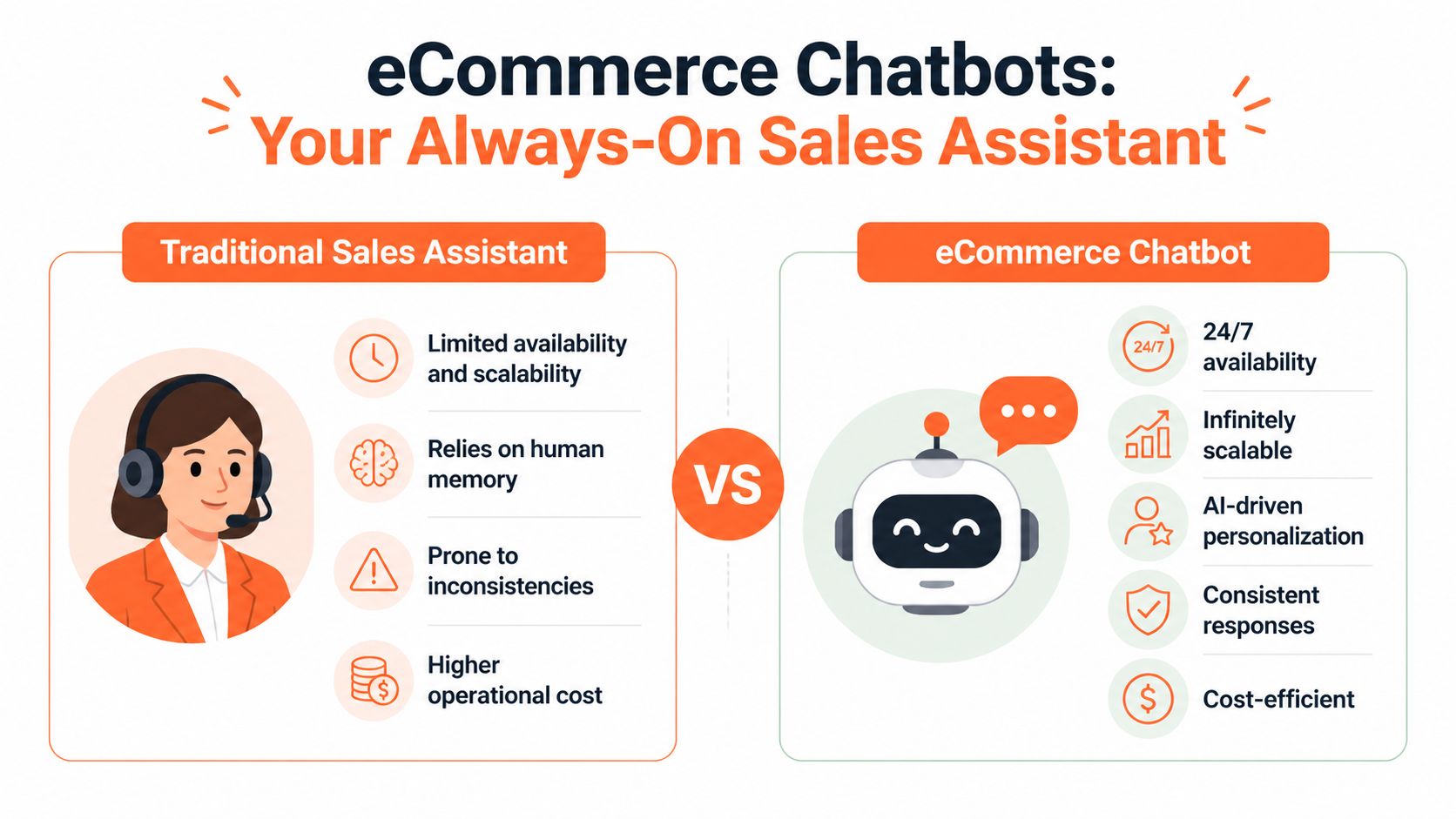
Think of a chatbot as a digital sales assistant that never clocks off. It sits where customers hesitate, asks the next useful question, and pulls the right information forward when someone needs help deciding.
That description covers a wide range of tools, though. Not every chatbot works the same way, and not every ecommerce brand needs the most advanced setup on day one.
Three common types of chatbots
Rule-based bots
These are the simplest version. They follow decision trees and preset options.
They work well for straightforward jobs like order status, return windows, or store policies. If a customer asks something outside the expected path, the bot usually struggles. That’s the trade-off. They’re predictable, but rigid.
AI conversational bots
These bots are better at understanding intent. They can handle looser phrasing and more natural language, which makes the experience feel less like a phone menu and more like a real conversation.
For ecommerce, that means a shopper can ask, “Which one is better for side sleepers?” or “Will this fit under cabin baggage rules?” and still get a relevant answer if the bot has access to the right data.
Generative AI bots
These are the most flexible. They can summarise, compare, recommend, and respond in a more human way. They’re also the category that creates the most concern, because brands worry the bot will invent answers.
That concern is valid. A generative bot without guardrails can sound confident while being wrong.
How better bots avoid making things up
The fix is RAG, short for Retrieval-Augmented Generation. In plain English, it works like an open-book exam. Instead of answering from memory alone, the chatbot checks a trusted source first, then responds.
According to Appinventiv’s explanation of ecommerce chatbot architecture, strong implementations convert full product catalogues into searchable data and perform a real-time lookup before generating a response. That’s what keeps answers grounded in your actual catalogue, policies, and knowledge base. The same source notes that strong implementations achieve ≥90% Natural Language Understanding accuracy and can resolve up to 80% of pre-purchase queries without human intervention.
That matters more than the technical label. If a customer asks whether a kettle is induction-compatible or whether a serum contains a specific ingredient, the bot should verify against live product information. It should not improvise.
A chatbot that guesses product facts will eventually cost you more than it saves.
What this looks like inside a real ecommerce setup
A well-configured bot usually pulls from several systems at once:
Component | What it does in practice |
|---|---|
Product catalogue | Provides specs, variants, materials, dimensions, and compatibility details |
CMS or help centre | Supplies shipping, returns, warranty, and care information |
Inventory or order systems | Confirms current availability or order status when connected |
Escalation workflow | Passes the conversation to a human with context when needed |
The user sees one conversation. Behind the scenes, the bot is querying systems that already hold the truth.
What works and what doesn’t
Here’s the blunt version.
Works well: Product finders, comparison help, policy questions, pre-purchase objections, and post-purchase updates.
Works poorly: Vague brand theatre, generic greetings, and bots trained on stale or incomplete product data.
Works only with discipline: Generative AI in regulated, technical, or catalogue-heavy categories where facts must stay precise.
If you’re evaluating platforms, it helps to look at practical capability rather than sales copy. A feature overview like IllumiChat's AI features is useful because it shows the kinds of functions teams should check for, such as integrations, automation options, and conversational controls.
The takeaway is simple. A chatbot becomes valuable when it has access to real business data and a clear commercial job to do.
The Business Case for Chatbots Driving ROI
The market has already moved. The AI-enabled e-commerce market reached $8.65 billion in 2025 and is growing at a 24.3% CAGR, while 97% of retailers plan to increase AI spending, according to Wagento’s review of chatbot adoption in ecommerce. For operators, that isn’t just trend watching. It’s a signal that AI-assisted shopping is becoming standard customer expectation.

If you’re building the business case internally, don’t pitch chatbots as a support project. Frame them as a commercial system. The best ones lift conversion, protect margin, and reduce service overhead at the same time.
Revenue impact shows up first in conversion
The most direct argument is the easiest one to defend. When a shopper can ask a question and get a useful answer without leaving the page, friction drops.
That’s why chatbots tend to outperform passive help content. A FAQ page waits. A good bot intervenes at the point of hesitation.
Three commercial effects matter most:
Guided buying decisions: The bot narrows the path from browsing to purchase.
Cart recovery: Proactive conversations can bring wavering shoppers back into checkout.
Faster purchases: Customers spend less time hunting for information and more time deciding.
This matters on your site, but it also sharpens the rest of your demand engine. If your paid traffic lands on pages where a chatbot resolves objections quickly, more of that spend has a chance to convert. That’s part of the reason broader ecommerce teams increasingly connect chat strategy with acquisition and retention work, not just support. For a wider view of that connection, this piece on marketing for ecommerce is a useful companion.
Cost reduction is real, but it’s not the main story
Organizations often start with support savings because they’re easy to explain. That’s fair. But cost reduction alone tends to understate the value.
A chatbot can absorb repetitive questions that don’t require judgement. Delivery timing, return rules, size guidance, compatibility checks, and basic product comparisons are all good candidates. Human agents then spend their time where nuance matters.
That changes team economics in two ways. It cuts the volume of low-value contacts, and it improves the quality of the contacts your human team still handles.
Operator view: Don’t measure chatbot ROI only by tickets avoided. Measure what your people are now free to do better.
Better service improves buying confidence
Fast answers aren’t only a service benefit. They’re a trust benefit.
If a customer can confirm product details, shipping expectations, or fit questions inside the buying journey, they’re less likely to stall. That confidence carries into first purchases, repeat purchases, and fewer avoidable complaints later.
A short walkthrough can help stakeholders see the commercial logic more clearly:
The strongest ROI model uses four levers
Lever | What the chatbot changes | Why it matters commercially |
|---|---|---|
Conversion | Removes hesitation during product evaluation | More sessions end in purchase |
AOV | Surfaces relevant accessories or upgrades | Baskets become more valuable |
Support efficiency | Handles repetitive contacts instantly | Service costs come down |
Retention | Improves post-purchase confidence and responsiveness | Customers are more likely to come back |
This is why weak implementations disappoint. If the bot only answers a few support questions and never touches the buying journey, the ROI case stays narrow. If it supports product discovery, objection handling, and operational efficiency together, the economics become much harder to ignore.
Integrating Chatbots into Your eCommerce Stack
A chatbot on its own is just an interface. The value comes from what it connects to.
In a strong ecommerce setup, the chatbot sits in the middle of product data, customer data, service workflows, and analytics. It becomes one of the easiest ways to collect direct customer signals because people tell you, in plain language, what they don’t understand, what they want, and what’s stopping them from buying.

The systems that matter most
For most brands, the key integrations are practical rather than flashy.
Ecommerce platform
The bot needs access to your catalogue, product variants, and in many cases stock or order information. Whether you’re on Shopify, BigCommerce, Magento, or a custom stack, the principle is the same. If the bot can’t see the right product data, it can’t answer reliably.
CRM or customer profile system
Chat conversations become more useful when they connect to customer records. A returning shopper asking about a product category they already bought from shouldn’t be treated like a complete stranger.
Help centre and policy content
Returns, delivery, warranty, and care instructions drive a lot of pre-purchase hesitation. Pulling this content into the chat layer keeps customers in the buying flow.
Analytics and reporting tools
Many projects fall apart because teams launch the bot but never structure the reporting. If you don’t track what customers ask, where they drop off, and which topics trigger escalation, you lose the strategic value.
Why sentiment and escalation matter
Advanced ecommerce chatbots use real-time multi-channel sentiment analysis to detect frustration and trigger handoffs to human agents. Beyond this, they create feedback loops from recurring objections and information gaps in chat logs, which can then be used to improve product content and the buying journey, as described in Quickchat’s guide to ecommerce chatbot design.
That’s the part operators should care about most. The chatbot is not only answering questions. It is exposing friction.
A simple example:
Customer asks repeatedly about sizing
Bot handles some queries but escalates edge cases
Team reviews logs and sees the same confusion across sessions
Product page is updated with clearer measurements, fit guidance, or imagery
Future shoppers need less help to convert
That loop compounds over time.
APIs are just the messengers
You don’t need to be technical to understand the role of APIs. They’re the secure messengers that let your systems talk to each other.
The chatbot asks for information. The ecommerce platform returns product data. The CRM records a preference. The support platform receives an escalated case with chat history attached.
That joined-up model is one reason AI is becoming more central to commerce operations. If you want a broader view of how those systems work together, this overview of AI in ecommerce helps connect the pieces.
Good integrations don’t make the chatbot look clever. They make the rest of your business easier to run.
A practical integration map
Start with catalogue access: Product facts need to be current.
Add support content next: Shipping, returns, and common objections usually drive immediate value.
Connect escalation paths: Human agents need conversation context, not just a ticket.
Route chat data into reporting: That’s where recurring friction becomes actionable.
Expand to more channels carefully: Website first usually beats trying to be everywhere at once.
A chatbot should simplify the customer journey, not create another disconnected system for your team to manage.
Special Considerations for Amazon Sellers
Amazon sellers need to stop copying direct-to-consumer chatbot playbooks without adapting them. The usual advice assumes the chatbot lives on the main product page, gathers data there, and directly influences the purchase. That’s not how the Amazon environment works.
The smarter move is to use chatbots for ecommerce as an off-Amazon intelligence layer. Your DTC site, landing pages, post-click experiences, and social channels can collect the exact buying language customers use. That language can then improve how your products perform on Amazon.
Why the standard ROI model breaks on Amazon
A major gap in most chatbot advice is that it doesn’t explain how to attribute value in an Amazon-specific context. Generic metrics don’t tell you whether chatbot interactions improve visibility in Amazon’s AI systems or how zero-party data from chats maps to marketplace ranking and content quality signals, as noted in BigCommerce’s discussion of ecommerce chatbot strategy gaps.
That gap matters because Amazon sellers often track the wrong outcomes. They ask whether the bot reduced support tickets. They don’t ask whether the conversations helped them write better bullets, answer hidden objections, or match the language shoppers use when they search and compare.
What off-Amazon chat data is actually good for
A well-run chatbot programme gives Amazon sellers something rare. It gives them direct buyer language before the sale.
That data is useful in at least four ways:
Product detail refinement: If shoppers keep asking whether a blender can crush ice, your listing should answer that clearly before the question needs asking.
Comparison positioning: If customers compare your product to a known alternative, that tells you which features need stronger differentiation.
Objection handling: Repeated concerns about sizing, materials, setup, or compatibility belong in the listing, images, or A+ Content.
Question prioritisation: The topics that recur in chat are often the exact topics your marketplace content still leaves unclear.
Don’t treat chat logs as support debris. Treat them as unfiltered market research from people close to purchase.
A practical workflow for Amazon operators
The most effective teams make this routine, not occasional.
Step 1
Review pre-purchase chats every week. Focus on repeated questions, vague product understanding, and stalled comparisons. Ignore one-off noise unless it reveals a serious content issue.
Step 2
Group the queries by content gap. Common groups include product specs, use cases, fit, ingredients, installation, regional delivery expectations, and authenticity concerns.
Step 3
Update Amazon content where the answer belongs. That may mean:
Chat signal | Amazon content response |
|---|---|
Buyers ask the same feature question | Tighten bullet points and description copy |
Buyers can’t compare variants | Clarify differences in images or A+ modules |
Buyers doubt suitability for use case | Add scenario-based wording and clearer benefits |
Buyers raise logistics or seller concerns | Address fulfilment clarity where possible in approved content and supporting channels |
Step 4
Watch whether fewer customers ask the same question later. Even without a perfect marketplace attribution model, declining repetition is a strong operational sign that the content is doing more of the selling work.
Where chatbots can still fail Amazon sellers
The biggest risk is false confidence. A bot may answer a vague or marketplace-specific question too cleanly when the underlying data is uncertain.
Questions about seller identity, fulfilment route, regional delivery differences, and channel-specific availability need careful handling. If the bot can’t verify the answer in real time, it should say so and redirect the customer appropriately. Precision matters more than conversational polish.
For Amazon-focused brands, that’s the strategic shift. The chatbot doesn’t need to live inside Amazon to help you win on Amazon. It needs to reveal what your listing still fails to communicate.
Measuring Success and Avoiding Common Pitfalls
If you measure chatbots by chat volume, you’ll learn very little. More conversations do not automatically mean better performance. A bot can be busy and still fail commercially.
The right way to evaluate chatbots for ecommerce is to look at business outcomes first. According to HelloRep’s ecommerce AI benchmarks, AI chatbots deliver a 4X increase in conversion rates (12.3% vs 3.1%), can recover 35% of abandoned carts, and can handle interactions for as little as $0.50 compared with $8.00–$15.00 for a human agent. Those are the benchmarks that matter because they tie directly to revenue and cost.

The KPIs worth tracking
Some measures are leading indicators. Others tell you whether the programme is paying off.
Commercial KPIs
Chatbot-influenced conversion rate: Did people who engaged with the bot buy more often than similar visitors who didn’t?
Cart recovery from bot intervention: Which conversations brought shoppers back after abandonment?
Average order value movement: Are guided recommendations improving basket quality?
Service KPIs
Ticket deflection: Which categories of query no longer need a human response?
Escalation quality: When the bot passes a case to support, does the agent receive enough context to resolve it quickly?
Customer satisfaction: Are people leaving the interaction more confident or more annoyed?
For teams building dashboards, a practical companion is this guide to KPIs for ecommerce, which helps keep measurement tied to outcomes rather than vanity metrics.
A launch checklist that prevents common mistakes
A simple rollout beats a sprawling one.
Pick one or two jobs first: Product discovery and pre-purchase FAQs are usually the best starting point.
Use current product data: If the source material is outdated, the chatbot will spread outdated answers faster.
Write for real customer language: Use the phrasing buyers already use in search, support, and reviews.
Set handoff rules early: Don’t wait until launch to decide when a human should step in.
Review transcripts regularly: Teams that skip this step miss the main strategic benefit.
The bot is only as strong as the data, routing, and review discipline behind it.
What usually goes wrong
The failure patterns are predictable.
Pitfall | What it looks like | Better approach |
|---|---|---|
Over-automation | The bot tries to handle everything | Limit scope and escalate earlier |
Weak knowledge sources | Incorrect or vague product replies | Connect the bot to trusted, live content |
No ownership | Nobody reviews performance weekly | Assign one team lead for commercial and service outcomes |
Set-and-forget mindset | The bot goes live and rarely gets updated | Treat it like a living sales channel |
Another common problem is writing the bot in brand language that sounds polished but says very little. Ecommerce buyers don’t need a personality-first chatbot when they’re trying to understand dimensions, ingredients, compatibility, or dispatch timing. Utility wins.
What success looks like in practice
A strong implementation tends to show a pattern:
Fewer repetitive support contacts
Faster resolution for routine pre-purchase questions
Better conversion from visitors who engage
Cleaner handoffs for complex cases
A growing archive of real customer objections that can improve merchandising and content
That’s the core point. Measuring a chatbot isn’t only about proving the tool worked. It’s about proving the customer journey got easier.
Frequently Asked Questions About eCommerce Chatbots
Do small brands need advanced AI from the start
No. Most brands should start with a narrow use case and expand from there.
If your catalogue is simple and your main problems are repetitive questions, a lighter chatbot setup can be enough. If your products need explanation, comparison, or guided selection, you’ll get more value from an AI-based bot connected to product data.
Will chatbots replace customer service teams
Usually, they change the team’s workload more than they replace it.
The best chatbot setups take repetitive, low-judgement tasks away from human agents. That leaves people to handle the cases where context, empathy, exception handling, or commercial judgement still matter. In practice, that often improves service quality because agents spend less time repeating standard answers.
How long does implementation take
It depends on the scope, data quality, and integrations.
A straightforward deployment can move quickly if your catalogue, policies, and escalation paths are already organised. A more advanced setup takes longer because the hard part isn’t the widget. It’s cleaning the product data, defining handoff rules, and making sure the chatbot has reliable sources to work from.
What should a brand prepare before launch
Have these basics ready:
Product information: Clean titles, specs, variants, and compatibility details
Policy content: Shipping, returns, warranty, and care instructions
Escalation rules: Clear conditions for when support steps in
Ownership: One person or team responsible for review and optimisation
Without that groundwork, even a good platform will underperform.
What if customers hate chatting with bots
Some will. That’s normal.
The solution isn’t to force automation harder. It’s to make the chatbot useful, honest about its limits, and easy to bypass. A visible route to human help matters. If you’re comparing how providers handle these practical concerns, the Social Intents FAQs are a good example of the kinds of implementation questions teams should ask before they commit.
Where should Amazon sellers use chatbots if not on Amazon itself
Use them where you control the customer interaction. Your site, campaign landing pages, email flows, and social traffic all work.
The goal isn’t only direct conversion there. It’s also collecting the objections, comparisons, and missing information that can strengthen your Amazon content and help you compete better inside Amazon’s AI-led discovery environment.
If your team wants to turn shopper questions into better Amazon visibility, Cosmy gives you a practical way to do it. It helps ecommerce brands understand how Amazon’s AI shopping environment interprets their listings, where product content is weak, and which fixes are most likely to improve discoverability and conversion.


