Walmart Seller Central Guide for 2026 Success


You’re probably in a familiar spot. Your Amazon channel is established, your catalogue is organised, your operations team knows the drill, and growth now means finding the next marketplace that can add revenue without creating chaos. Walmart is usually the first serious option that comes up.
That’s the right instinct. It’s also where a lot of Amazon-native brands make the wrong first move. They assume Walmart seller central is basically Amazon Seller Central with different menus, then they push the same listings, the same fulfilment habits, and the same content assumptions. The account goes live, a few products publish, and then the friction starts. Listings don’t index cleanly. Shipping settings cause avoidable misses. Content gets overwritten. Small compliance mistakes become account-health problems much faster than expected.
Walmart can absolutely become a strong second marketplace. But it rewards sellers who treat it as a distinct operating environment, not a copy-paste extension of Amazon.
If you’re comparing channels more broadly, it also helps to understand how Walmart sits against other marketplace options such as eBay alternatives for scaling brands. Walmart is usually less about bargain hunting and more about disciplined marketplace execution with retail-style standards.
This guide is written for the operator who already understands marketplaces. You don’t need a beginner explainer on what a listing is or why tracking matters. You need the practical version. What works, what breaks, what Walmart cares about early, and where Amazon habits can hurt you in the first 90 days.
Introduction Your Next eCommerce Frontier
Amazon sellers usually come to Walmart with confidence for good reason. They already know catalogue structure, inventory feeds, pricing pressure, and the constant relationship between fulfilment quality and visibility. That foundation helps. But walmart seller central asks for a different mindset from day one.
Amazon often feels like a marketplace-first system that gives brands a large toolkit and then expects them to manage complexity. Walmart feels more like a retail environment that permits marketplace participation, so long as the seller behaves in a way that protects the customer experience. That difference affects almost everything. It affects how quickly listing issues become blocking issues. It affects how much tolerance the platform shows for weak fulfilment setup. It affects how much control you really have over your product detail pages.
You’re not launching on “another channel”. You’re stepping into a marketplace that expects retail-grade discipline from the start.
For an Amazon-native team, the first 90 days on Walmart usually come down to five operational truths:
Shipping settings matter earlier: Bad templates can damage performance before you’ve had enough order volume to learn by trial and error.
Catalogue quality is stricter than many expect: Missing attributes, weak images, or sloppy variants create downstream problems fast.
Content control is looser: You may not keep the page exactly how you submitted it.
Support response discipline matters: Walmart watches seller responsiveness more closely than many teams assume.
Operational consistency beats aggressive scaling: A slow, clean launch usually outperforms a broad, messy one.
That’s the core shift. On Amazon, many brands can brute-force their way through early imperfections with advertising, reviews, and iterative listing updates. On Walmart, weak operational setup tends to surface sooner and hurt more.
What Is Walmart Seller Central
Your team gets approved, uploads a few SKUs, and expects Walmart to behave like a lighter version of Amazon Seller Central. Then the first real friction shows up. A listing goes unpublished over an attribute issue, shipping settings create promises your warehouse cannot meet, or page content changes in a way you did not expect. That is usually when sellers realise Walmart Seller Central is not just a place to turn listings on. It is the operating system for how Walmart judges your business.

Walmart Seller Central works like your control room inside Walmart’s marketplace. It is where you build and maintain listings, process orders, answer customer messages, manage returns, review payment activity, and set the operational rules behind your offer. If your ERP says everything is fine but Seller Central shows late shipments, bad tracking, or suppressed items, Walmart will act on what Seller Central shows.
Seller Central is an execution platform, not just an admin portal.
That distinction matters more on Walmart than many Amazon-native teams expect. On Amazon, brands can often patch weak setup after launch with advertising, listing iteration, and marketplace momentum. On Walmart, operational errors surface faster and with less room for improvisation. The platform shapes daily behaviour. It pushes sellers toward accurate catalogue data, conservative shipping promises, fast customer response, and clean order handling from day one.
Built for operational control
The interface covers the same broad jobs you already know from Amazon, but the day-to-day use feels different. Walmart places more weight on whether your settings, data, and fulfilment execution match the customer promise on the page.
In practice, your team will spend most of its time in five areas:
Item setup and content management: Create items, complete required attributes, manage variants, and fix publishing errors.
Order management: Acknowledge orders, ship on time, upload valid tracking, and handle exceptions before they become defects.
Customer service and returns: Respond within Walmart’s expectations and resolve issues without letting messages sit.
Performance monitoring: Track the operational metrics that affect account standing and offer visibility.
Reports, feeds, and integrations: Use bulk files or connectors to reduce manual work once the basics are stable.
The hidden gotcha is that these areas are more connected than they look. A content problem can block discoverability. A shipping template error can create late deliveries. Slow message handling can hurt account standing even if sales volume is still low. Amazon teams sometimes assign Walmart to one marketplace manager and expect the rest of the business to stay unchanged. That usually leads to avoidable rework.
Marketplace seller and supplier are different models
New Walmart entrants often blur two separate relationships. That creates confusion about who controls pricing, content, and the customer offer.
Model | What it means | Who controls the offer |
|---|---|---|
Marketplace seller | You sell as a third-party merchant inside Walmart Marketplace | You control pricing, fulfilment method, and most day-to-day operations |
Supplier or 1P relationship | Walmart buys inventory from you as a retail supplier | Walmart controls the retail offer |
If you are launching through Walmart Marketplace, Seller Central is your working environment. It is not a wholesale vendor portal, and it does not behave like one. That sounds obvious, but I regularly see brands carry over retail-account assumptions and miss how much execution still sits with the seller.
The real mindset shift for Amazon-native brands
The biggest mistake is treating Walmart Seller Central like a secondary listing endpoint. It is closer to an operating checkpoint. Walmart uses it to evaluate whether your business can support the customer experience attached to your listings.
That has a few practical implications in the first 90 days:
Content quality is operational, not cosmetic.
Shipping settings need warehouse-level scrutiny.
Customer response workflows need named ownership.
Catalogue expansion should follow process stability, not ambition.
Page content is not always fully yours to preserve, so teams need to monitor for overrides and unexpected changes.
If you approach Seller Central with that mindset, the platform becomes much easier to use well. If you treat it as a passive dashboard, Walmart will expose the weak spots for you.
Onboarding and Your Initial Account Setup
The application process is only the visible part. The more important work starts right after approval, when your account is technically open but not yet safely launch-ready.
Most Amazon teams rush this stage because they want products live quickly. That’s understandable. It’s also where avoidable problems begin. A rushed Walmart setup usually shows up later as cancellations, delivery misses, customer messages you didn’t answer in time, or listings that technically exist but aren’t set up for clean scale.
Approval is not the finish line
Once you’re in, focus on configuration before catalogue expansion. The first job isn’t “upload everything”. The first job is making sure the account can process orders without surprising your operations team.
The priority stack should look like this:
Business and payment details
Tax setup
Shipping configuration
Returns settings
Integration method
Initial SKU selection
If any of those are shaky, broad catalogue launch only magnifies the issue.
Shipping profiles deserve real attention
Amazon-native sellers often underestimate Walmart. On Amazon, teams may already have mature fulfilment workflows and assume those can carry over. On Walmart, your shipping templates and service promises need direct scrutiny before the first order lands.
Seller Central allows custom shipping templates. In practice, that means you shouldn’t use one generic national setup unless your warehouse and carrier performance support it. Build templates around what your operation can consistently fulfil.
A practical consideration:
Standard shipping: Use this for your broadest coverage area and your most stable service levels.
Expedited shipping: Only enable this where your warehouse cut-off times and carrier pickups can reliably support it.
Regional logic: If some SKUs ship from one warehouse and others from another, reflect that in how you structure your templates.
Fragile or awkward products: Don’t force them into the same promise set as compact, easy-to-ship items.
The mistake is overpromising because you want the listing to look competitive. The better move is to promise only what your operation can hit consistently.
Start with a launch catalogue, not a full catalogue
Many brands want to turn on every ASIN equivalent at once. On Walmart, that’s rarely the best opening move. Launch with the products that have the cleanest data, the most stable stock position, and the lowest operational risk.
That usually means avoiding:
Seasonal inventory with uncertain stock depth
Items with frequent title or image changes
Bulky products with higher fulfilment complexity
Products with known returns friction
Bundles that depend on flawless component availability
A narrower launch gives your team time to test order routing, support handling, feed quality, and shipping performance before more complex SKUs create avoidable stress.
A clean launch beats a big launch. On Walmart, early operational trust is worth more than catalogue breadth.
Choose your system setup early
You don’t need a highly customised technical stack on day one, but you do need a clear decision. Are you managing listings manually inside Seller Central, through flat files, or through an integration partner or internal API workflow?
Whichever route you choose, keep one source of truth for inventory and content. Walmart punishes confusion more than ambition. If stock lives in one system, prices in another, and content updates in a third with no clear ownership, your first month becomes a reconciliation exercise instead of a sales channel rollout.
Managing Your Catalogue and Inventory
Catalogue work on Walmart is less forgiving than many Amazon teams expect. The platform wants structured, complete, consistent data. If Amazon sometimes lets strong sales velocity or review depth carry a listing despite imperfect backend inputs, Walmart is less likely to do you that favour.

The first thing to accept is that listing creation is not just data entry. It’s quality control. Every weak attribute, image problem, or inventory mismatch creates a stronger chance of suppression, delay, or conversion drag later.
Three ways to build listings
Walmart gives sellers a few practical routes into the catalogue. The right one depends on volume and how mature your internal systems are.
Method | Best for | Where it breaks |
|---|---|---|
Single item setup | Testing a small number of SKUs or fixing one-off issues | Too slow for serious catalogue expansion |
Bulk upload spreadsheets | Mid-sized launches and structured catalogue work | Easy to create format and mapping errors |
API or integration feed | Ongoing syncs at scale | Bad source data gets pushed faster, not fixed |
If you’re under pressure to go live quickly, manual listing feels attractive. It’s fine for a handful of items. It’s the wrong long-term method for a brand with a real catalogue. Bulk uploads are usually the practical middle ground in the first 90 days, provided someone on the team owns template accuracy.
Image compliance is not optional
Walmart is strict about image requirements. Product image compliance requires a minimum resolution of 1000 × 1000 pixels, and non-compliant images can cause up to 40% of application rejections, according to this Walmart Seller Central guide from EcomRanker.
That matters beyond approval. Poor images can stall listing quality, reduce discoverability, and create unnecessary back-and-forth inside your catalogue workflow.
If your Amazon team has a lot of image variants, lifestyle shots, or inconsistent main image standards across the catalogue, pause and audit before upload. The safest approach is simple:
Check the primary image first: Make sure the main image meets Walmart’s technical requirement before worrying about secondary assets.
Standardise file handling: Don’t let creative teams export inconsistent sizes across product families.
Validate before submission: Use your feed or item management process to catch image issues before they become listing diagnostics problems.
For teams already thinking about cross-channel asset quality, it helps to compare Walmart’s expectations with broader marketplace imagery practices such as this guide to Amazon fulfilment centre listing and image preparation considerations.
Content accuracy matters more than brand preference
Amazon-native sellers are used to fighting for page quality, but they often still expect their submitted version of the content to remain the main version. Walmart doesn’t always work that way. Your title, bullets, attributes, and images need to be accurate, structured, and aligned with the catalogue, not just “on brand”.
That means the best Walmart content usually has these traits:
Clear product naming: Avoid clever language that hides what the item is.
Attribute completeness: Fill in the backend details properly, not just the visible copy fields.
Variant discipline: Parent-child logic needs to be clean, or shoppers end up on confusing pages.
GTIN integrity: Product identifiers need to match the item record, not a close approximation.
Inventory accuracy protects more than availability
Inventory mistakes on Walmart don’t just lose sales. They create downstream account-health risk because bad stock data often leads to seller-side cancellations. If your ERP updates lag, or your marketplace feed isn’t the source of truth, you’ll feel that pain quickly.
A practical inventory routine looks like this:
Reconcile your top launch SKUs daily during the early phase.
Hold back unstable inventory from Walmart until stock confidence improves.
Avoid listing broad depth on items with channel competition from DTC, Amazon, and wholesale at the same time.
Put one owner in charge of feed exceptions. Shared responsibility usually means no responsibility.
Catalogue quality and inventory control are tightly linked on Walmart. The sellers who separate them usually end up solving the same issue twice.
The Complete Order Lifecycle Workflow
An order on Walmart looks simple from the outside. Customer places order, seller ships item, package arrives. Inside Seller Central, that lifecycle is where account quality is proven or damaged.
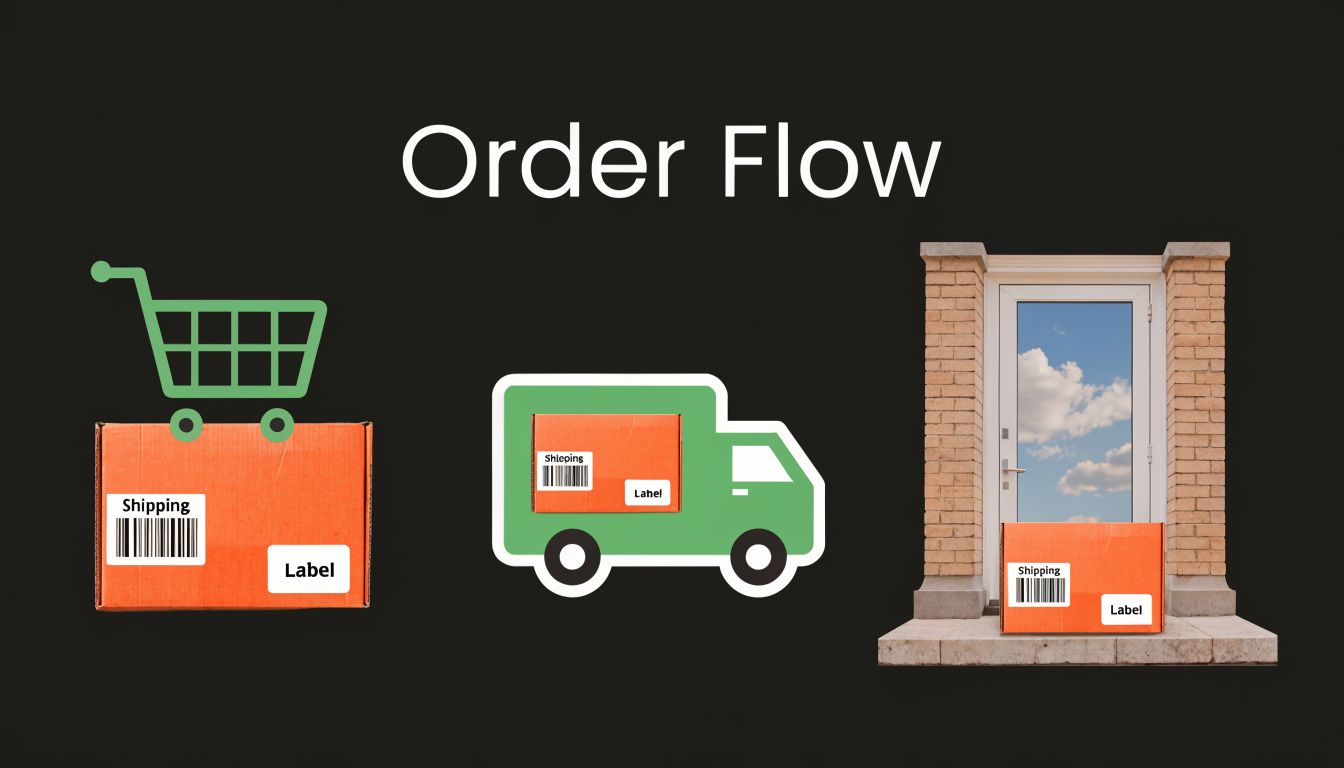
If you’re coming from Amazon, the trap is assuming your existing order workflow is “close enough”. On Walmart, every handoff matters. The order feed, warehouse pick, shipping confirmation, tracking upload, and delivery event all connect back to performance standards.
What happens after the order lands
The clean workflow is straightforward:
Order is received in Seller Central or through your integration
Inventory is confirmed and the order is routed
Warehouse picks and packs within the promised handling window
Shipment is confirmed
Valid tracking is uploaded promptly
Delivery occurs within the expected promise
That sounds basic because it is. What makes Walmart difficult isn’t conceptual complexity. It’s that the platform is less tolerant of weak execution on these basics.
Walmart’s Order Defect Rate threshold is under 1%, and exceeding it can trigger account suspension. The same benchmark notes that on-time shipping at 99% is required to sustain 50+ orders per day volume, according to SalesDuo’s Walmart Seller Central guide.
That should shape how you launch. Don’t test fragile workflows on a live marketplace account.
Where Amazon-native teams usually slip
Most first-quarter problems happen in one of four places:
Late internal order routing: The marketplace order is visible, but the warehouse doesn’t receive it quickly enough.
Manual tracking delays: The parcel is moving, but the system doesn’t reflect it in time.
Template mismatch: The customer promise was too aggressive for the shipping method used.
Out-of-stock fulfilment attempts: The order arrives against inventory that wasn't available.
The dangerous part isn’t one bad order. It’s a workflow that produces the same bad order pattern repeatedly.
A lot of teams discover that their Amazon processes were partly protected by FBA or by internal workarounds that don’t translate well into Walmart’s standards. If you’re merchant-fulfilling, your shipping operation has to be reliable. Not “usually fine”. Reliable.
Seller fulfilled or WFS
This is the first major operational fork. You can fulfil orders yourself, or you can evaluate Walmart Fulfillment Services.
Seller-fulfilled works when you already have:
Stable warehouse operations
Fast label creation and tracking handoff
Regional service levels you understand well
A support team that can handle exceptions quickly
WFS makes more sense when your internal network isn’t built for tight marketplace performance standards, or when you want less operational exposure on fulfilment execution.
There’s no universal answer. The wrong answer is choosing based on margin alone. Cheap fulfilment that creates account-health problems is expensive.
The product page and the order are linked
A point many teams miss is that front-end content quality affects back-end order quality. If your title or image creates confusion, returns and customer complaints rise. If your variant setup is sloppy, the wrong item gets bought and then blamed on fulfilment.
That’s one reason clean imagery matters so much. If your team needs a simple standard for creating compliant marketplace-ready visuals, MerchLoom's white background image guide is a useful operational reference because it focuses on the image basics that reduce listing confusion before an order ever happens.
Build for exception handling
The smooth orders are easy. Your process should really be built around the awkward ones:
Exception | What good operators do |
|---|---|
Inventory conflict | Cancel only after verifying no alternate fulfilment path exists |
Carrier delay | Monitor proactively and prepare customer communication early |
Tracking issue | Correct upload errors fast instead of waiting for a buyer complaint |
Address or item query | Respond quickly and document the resolution inside your workflow |
The Walmart teams that stay healthy aren’t perfect. They’re disciplined. They catch small failures before the marketplace turns them into performance failures.
Analysing Performance Fees and Payments
A familiar first-month Walmart mistake looks like this. Sales are coming in, payouts are landing, and the team assumes the channel is healthy. Then a wave of late deliveries, avoidable refunds, or unexplained deductions shows up, and margin disappears faster than the top-line report suggested.
That happens because Walmart rewards clean execution and exposes sloppiness early. Amazon-trained teams often focus first on ads, conversion, and Buy Box dynamics. On Walmart, the first 90 days usually come down to operational control, and your payments report is one of the fastest places to spot whether that control is real.
Read the dashboard like an operator, not a marketer
The performance dashboard is not just an account-health screen. It is an operations report with financial consequences.
Watch the core metrics, but do more than record the numbers:
Cancellation Rate: Usually points to bad inventory sync, delayed warehouse updates, or SKUs that should not have gone live yet.
On-Time Delivery Rate: Exposes weak carrier choices, unrealistic transit settings, or fulfilment teams shipping later than the system assumes.
Valid Tracking Rate: Often breaks when labels are created in one system and confirmed poorly in another.
Seller Response Rate: Shows whether customer service is being managed as a marketplace workflow with ownership and SLAs.
Amazon sellers sometimes treat these as compliance metrics. On Walmart, they are also margin metrics. A tracking failure can trigger customer contacts. A late delivery can turn into a refund request. A preventable cancellation can waste ad spend, suppress momentum, and create avoidable support load.
Operational rule: Assign each metric to one owner who can fix root causes, not just report status.
Payout review needs order-level reconciliation
Checking deposits is not enough.
Review payouts against shipped orders, refunds, returns, and deductions every week. If finance only looks at the net transfer, Walmart can appear profitable while a handful of recurring issues are draining contribution margin in the background.
A practical weekly review should cover:
Orders shipped versus orders paid
Refunds and customer adjustments
Return trends by SKU
Support cases with financial impact
Unexpected deductions, shortages, or anomalies
A shift in mindset is particularly important. On Amazon, teams can get used to letting settlement reports tell the story after the fact. On Walmart, I prefer to reconcile from the order outward. Start with what happened operationally, then confirm the money matched. That approach catches small failures earlier, especially during launch.
Fees matter, but execution usually costs more
Referral fees deserve a clean model, but they are rarely the biggest surprise in the first 90 days. The bigger problem is operational leakage.
A product with bad content may convert, but then generate returns because the buyer received something different from what they thought they ordered. A SKU with poor inventory discipline may sell profitably on paper, then lose money through cancellations and customer support time. A late shipment can create a refund or dispute that never showed up in the original margin forecast.
If your team wants a better framework for post-transaction risk, this guide on how to manage e-commerce chargebacks is useful context. Chargeback-related costs often get buried inside broader marketplace reporting when they should be tracked as a separate operational issue.
Use a simple review cadence
Keep the reporting rhythm tight and boring. That is usually what works.
Review rhythm | What to inspect | Why it matters |
|---|---|---|
Daily | New orders, exceptions, support queue | Catches service and fulfilment failures before they spread |
Weekly | Performance metrics, refunds, payout reconciliation | Shows patterns early enough to correct them |
Monthly | SKU profitability, return reasons, process bottlenecks | Helps decide what to scale, pause, relist, or fix |
The goal is not prettier reporting. The goal is to know which SKUs are healthy, which processes are causing hidden cost, and where Amazon habits are creating Walmart problems.
Advanced Strategies and Common Pitfalls
The first wave of Walmart success usually comes from basic competence. Clean data, reliable shipping, decent support response, and sane SKU selection. The next wave comes from understanding what Walmart is not.
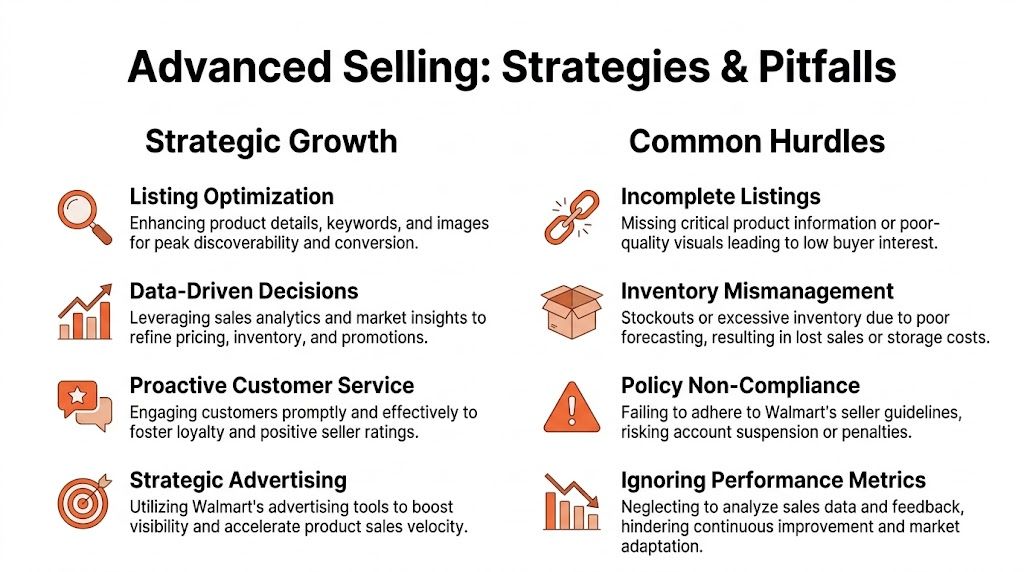
It is not Amazon with fewer sellers. It is not a place where brand control works the same way. It is not a channel where marketplace veterans can safely run on habit.
Walmart and Amazon at a glance
The cleanest way to understand the strategic difference is to compare how each platform behaves in practice.
Aspect | Walmart Seller Central | Amazon Seller Central |
|---|---|---|
Marketplace philosophy | Retail-style standards with tighter operational expectations | Broad marketplace system with more mature seller tooling |
Content control | More vulnerable to catalogue-level overrides | Stronger seller expectation of brand-controlled content, especially with brand protections |
Launch strategy | Best with narrower, cleaner SKU rollouts | Can support broader testing if operations and ads are strong |
Fulfilment risk | Early execution quality matters heavily | FBA can absorb more operational complexity for many sellers |
Support discipline | Fast responses are part of account health | Important, but many teams feel the pressure less directly |
Scaling approach | Operational consistency first | Catalogue scale and ad velocity often play a larger role earlier |
That difference changes behaviour. On Amazon, a brand may launch widely, optimise over time, and rely on mature ad systems to build momentum. On Walmart, cleaner setup usually wins over speed.
The content override problem is real
One of the least discussed frustrations on Walmart is content control. A common issue is Walmart’s aggressive content overrides, which can suppress seller visibility. In some regions, attribute mismatches cause 40% to 50% listing suppression rates, according to ReyEcomOps on why many Walmart sellers struggle.
For Amazon-native brands, this is often the most jarring adjustment. You may be the brand owner and still find titles, images, or attributes changed or blended into Walmart’s catalogue view.
What works better:
Submit tightly structured attributes: The cleaner your backend data, the less room there is for mismatch.
Keep naming consistent across systems: If Shopify, ERP, feed, and Walmart all describe the item slightly differently, catalogue conflict becomes more likely.
Audit live pages, not just submitted feeds: A “successful upload” doesn’t mean the page is showing what you intended.
Flag high-risk products early: Variants, bundles, and items with language-sensitive attributes need closer review.
What doesn’t work is assuming ownership alone protects the listing.
Smart growth comes from controlled automation
As order count rises, manual management stops being efficient. That doesn’t mean automating everything immediately. It means automating the right things.
Useful priorities usually include:
Inventory syncs: Reduce seller-side cancellations caused by stale stock.
Order routing: Shorten the gap between order receipt and warehouse action.
Feed validation: Catch catalogue issues before they publish into live problems.
Support workflows: Make sure buyer messages always land with a responsible owner.
This is also where teams start exploring tools and workflows influenced by broader marketplace AI and automation trends, especially when coordinating product data and content decisions across channels. If your team is already thinking that way, AI in eCommerce operations and content workflows is worth reviewing as a strategic lens.
One Amazon lesson still applies
Sellers who’ve dealt with a suspended Amazon account already know that marketplace discipline matters more than platform familiarity. If your team has ever had to reinstate your Amazon seller account, you already understand the broader lesson. Weak process control catches up eventually. Walmart catches it in different ways.
The brands that win on Walmart aren’t always the biggest. They’re often the ones with the fewest self-inflicted operational mistakes.
The practical playbook is simple. Start narrower than you think. Keep content cleaner than you think is necessary. Promise less in shipping than your optimistic model says you can. Watch live pages for overrides. Treat support and tracking as account-health functions, not admin tasks. Then scale only after the operating rhythm is stable.
If your team is growing beyond Amazon and wants sharper visibility into how marketplace content is interpreted by AI-driven shopping systems, Cosmy is worth a look. It helps eCommerce brands understand how Amazon’s evolving AI search environment reads product content, highlights visibility gaps, and prioritises fixes your team can act on quickly.


