
Sell on eBay How to: Your 2026 Ultimate Guide


You're probably in that first phase where eBay looks simple on the surface, but every decision feels like it could be the one that slows you down. The account setup is easy enough, but the core work begins once you have to decide what to list, how to price it, and whether your content is good enough to get found.
That's the part most new sellers underestimate. eBay rewards sellers who treat each listing like a small business asset, not just a quick upload, and that same mindset is now showing up across major marketplaces as discovery moves toward AI comprehension instead of basic keyword matching. Amazon's Alexa for Shopping now compares products, summarizes results, and works inside the main shopping interface for U.S. customers, while Walmart has its own conversational assistant, Sparky, aimed at natural-language discovery. In other words, strong product content matters more than ever, because the platforms are learning to read listings, not just index them.
Table of Contents
Establishing Your eBay Seller Foundation
A new seller can lose time fast by listing before the account is ready to handle payments, settings, and basic workflow. The result is usually delayed payouts, policy confusion, and friction at the exact moment when the store should be gaining traction.
Choose the right account setup
A personal account usually fits someone testing the waters or clearing out items from around the house. A business account makes more sense once selling becomes repeatable and the account structure needs to match that pace. The goal is not to make the start feel complicated, it is to avoid rebuilding the setup later.
Before you list anything, connect your payout details and verify that the banking information is correct. eBay's payment flow depends on linked details, so getting this right early keeps cash moving without interruptions. It also helps your seller profile look complete, which matters more than many new sellers expect when buyers decide whether a storefront looks trustworthy.
Setup should cover compliance and credibility. If either one is shaky, every later step gets harder.
Practical rule: set up the account as if you expect to keep selling. Even if you begin with only a few items, the structure should still support growth.
Lock in the basics that prevent beginner mistakes
A clean seller foundation starts with the settings you can control right away. Describe what you sell accurately, set communication preferences clearly, and choose shipping and return settings you can honor. A profile that promises more than the operation can deliver usually creates avoidable problems later, especially when returns or item-condition disputes appear.
eBay also gives sellers tools that are built for ongoing decision-making, not just account creation. Seller Center includes Product Research and Sourcing Insights tools, and Seller Hub reports can be compared month over month, year over year, or by custom time periods. That matters because what sells well can change quickly, especially in categories where demand shifts fast. Use those tools as a habit, not as a rescue plan after a listing stalls.
For search visibility, a stronger catalog starts with clearer product content. If you want a practical framework for that side of the business, these eCommerce SEO strategies show how search-friendly wording helps both marketplace discovery and future AI-assisted product matching.
A clean start also makes it easier to scale inventory without losing track of the basics. Once the account is in place, the seller can focus on listing quality and conversion instead of fixing preventable account problems.
Creating Product Listings That Actually Convert
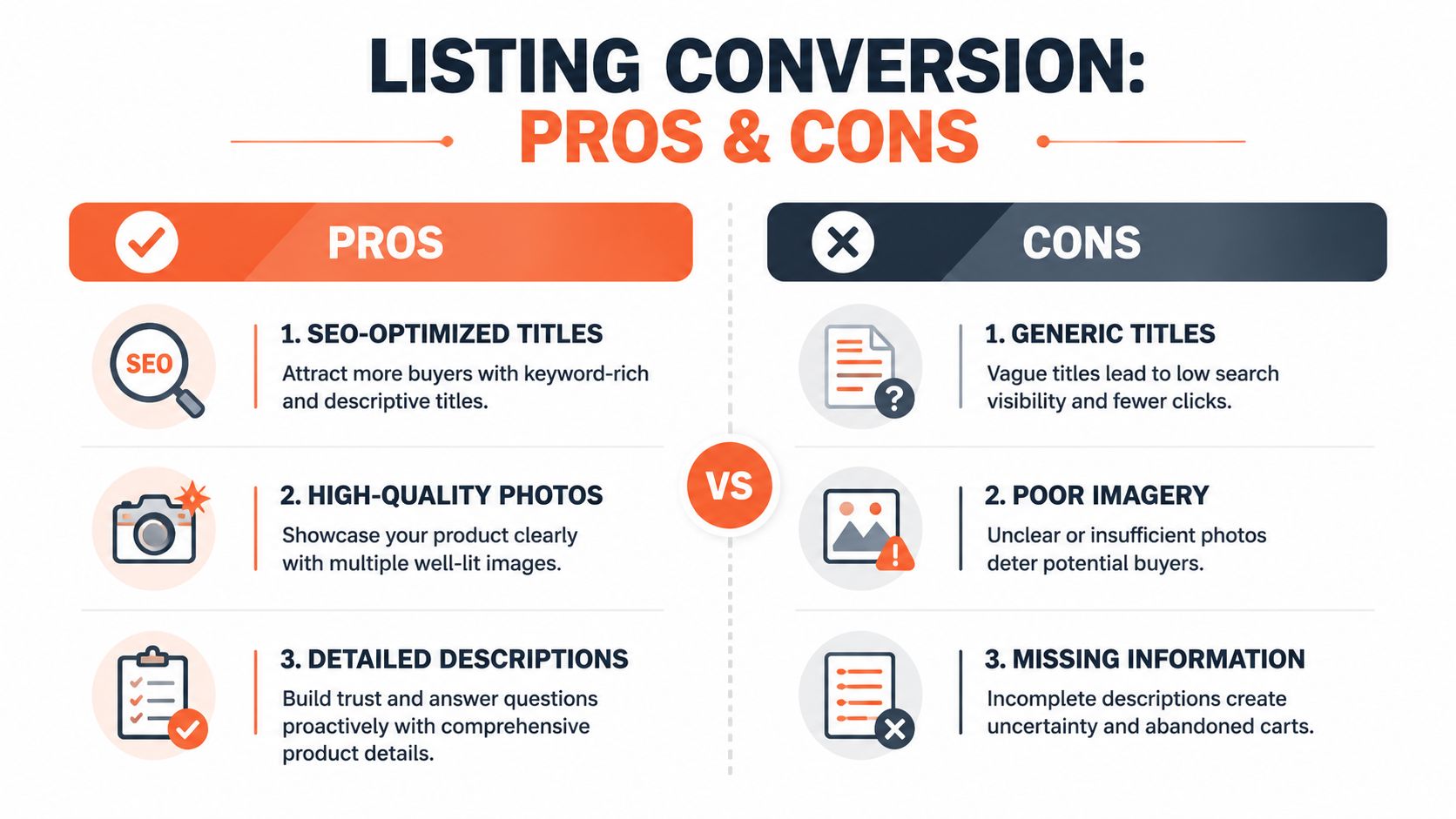
Good listings don't just describe an item, they remove uncertainty. Buyers click when the title is specific, stay when the photos are clear, and buy when the description answers the questions they were already asking in their head.
Build the listing around buyer intent
Titles should reflect what a shopper would search for, not what sounds clever in your own notes. A strong title usually leads with the brand, model, size, color, or defining feature, because that's what helps a buyer decide whether to click. Generic titles do the opposite, they bury the item in search and force the shopper to do extra work.
Photos matter just as much. Use multiple angles, clean lighting, and close-ups of flaws, tags, or model numbers when they exist. Buyers don't want theatrical photography, they want proof. If the item is electronic or has a moving part, show the condition in a way that answers the obvious doubts before they become messages.
Fill in item specifics and write like a seller who expects returns
eBay's discovery engine rewards complete data, and the human shopper does too. Item specifics reduce ambiguity, which improves visibility and reduces the back-and-forth that kills conversion. A seller who skips fields to save time usually pays for that shortcut in lower trust and more abandoned carts.
Descriptions should be accurate, complete, and plainspoken. The best practice is to state condition truthfully, note measurements where relevant, and call out anything that might surprise a buyer after delivery. One beginner-focused guide also recommends keeping paid promotion conservative at first, starting around 2% and adjusting only after testing what works, while a healthy store benchmark is roughly one sale for every 100 active listings (seller advice on listing quality and promotion).
Practical rule: if a detail would matter in a return case, it belongs in the listing before the sale.
For sellers who want to think beyond eBay syntax and toward broader discoverability, a stronger content discipline pays dividends. These ecommerce SEO strategies are useful because the same logic, clear structure, complete attributes, and shopper relevance, shows up across marketplaces that are becoming more machine-readable.
Mastering Pricing Research and Shipping Logistics
Pricing is where a lot of new sellers lose money before the item even ships. If you guess high, the listing stalls. If you guess low, you create a sale that looks busy but doesn't support the business.
Use sold comps before you look at live listings
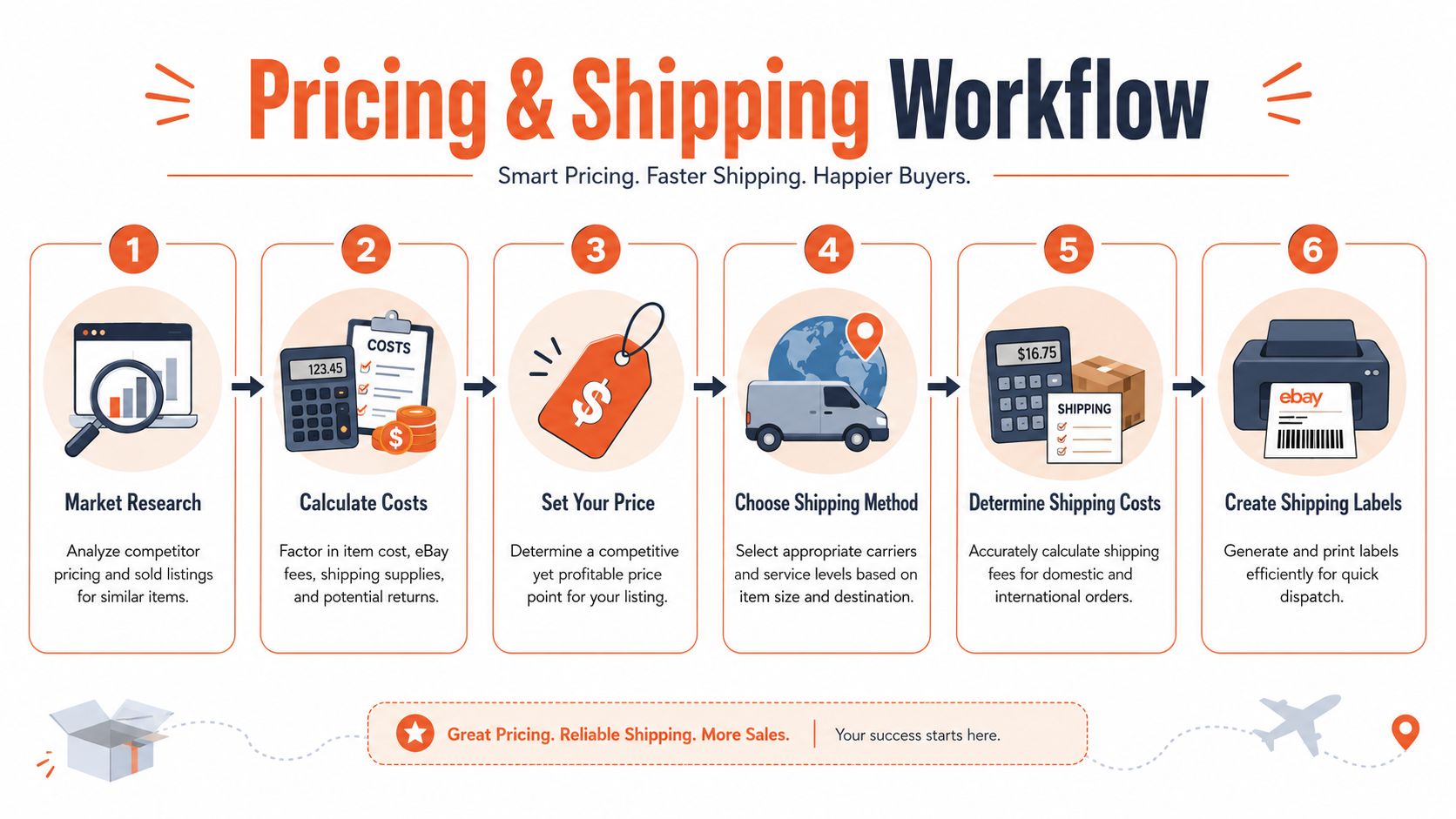
The best starting point is sold comps, because completed sales show what buyers paid. One seller-research workflow recommends checking sold history first, then comparing the resulting range against current active listings to understand supply and competition (sold comps workflow). That's the right order because active listings only tell you what other sellers are asking, not what the market is clearing.
A practical benchmark from the same guidance is to price new inventory within the bottom 25% of historical sale prices when you want momentum. That doesn't mean racing to the bottom. It means giving the market a reason to act while keeping enough margin to stay profitable after fees and shipping. Active listings can still be useful, but only as a secondary signal for scarcity and competition.
Build the floor price before you publish
The floor should come from your own math, not optimism. Add item cost, shipping, estimated fees, and your target profit, then decide whether the market can support that number. If it can't, the right move is often not listing at all.
Shipping deserves the same discipline. Choose the service level based on item size, weight, destination, and buyer expectation, then calculate the label cost before you set the final price. That's especially important for heavier items or products that need tracking, insurance, or faster delivery. Once you've priced the item correctly, shipping becomes part of the offer rather than a surprise expense.
One useful habit is to review the last 90 days of sales and compare condition-based price ranges before you commit. That keeps you from overpricing items that look more valuable than they are in the current market.
For sellers who need repeatable research at scale, Chrome extensions and web scraping are often discussed in the broader eCommerce world for inventory work, but the bigger lesson stays the same, research first, price second, list third.
Managing Orders and Promoting Your Store
Once the listing goes live, speed and consistency matter more than polish. Buyers notice how fast you ship, how clearly you respond, and whether the store feels dependable after the order is placed.
Fulfill cleanly and protect your reputation
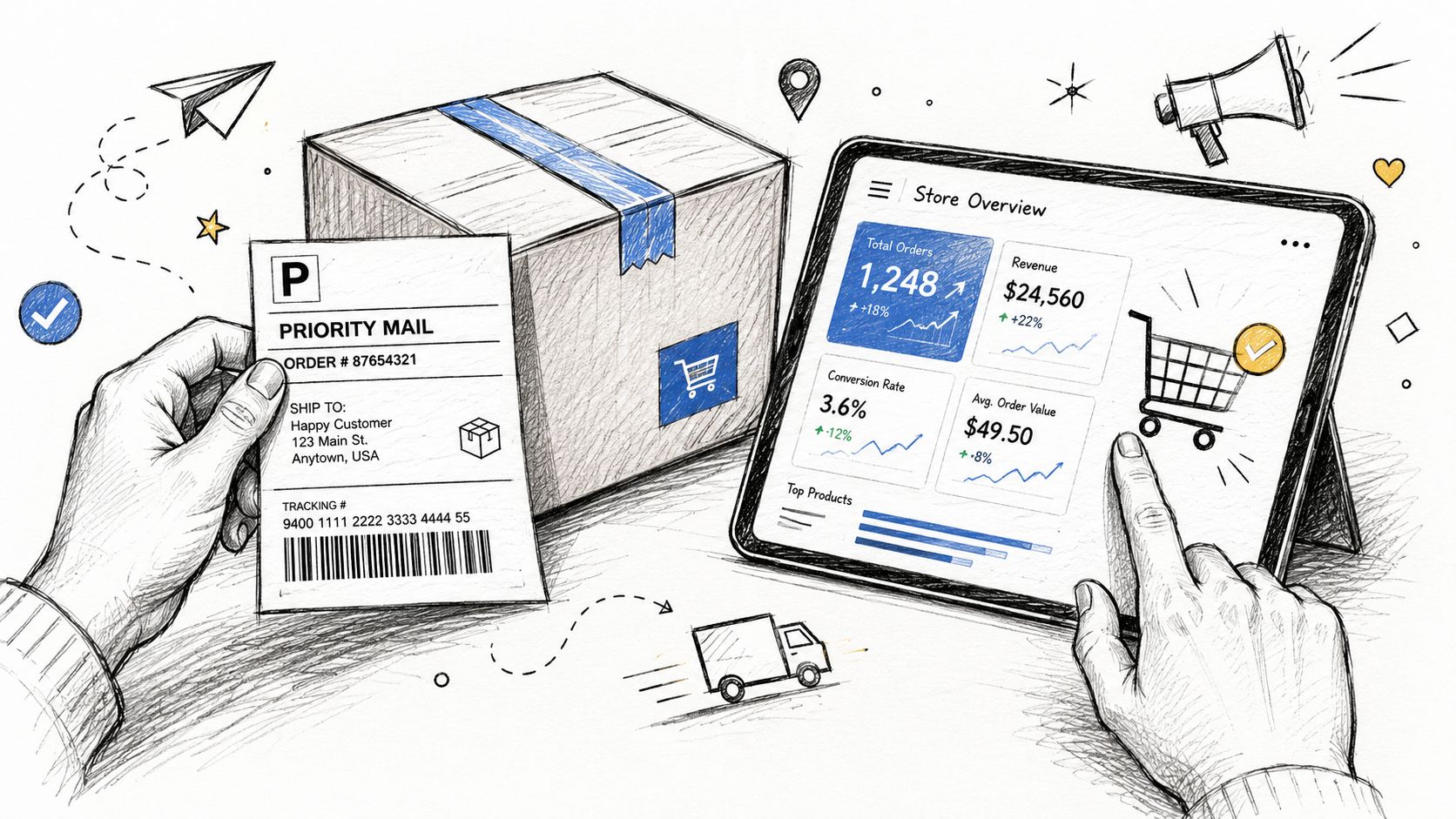
A strong order workflow is built on repeatable steps. Pack the item securely, print the label through eBay, upload tracking as soon as you can, and keep messages short, clear, and useful. Buyers do not need a long explanation, they need confirmation that the order is moving.
Returns need the same steady approach. The seller who answers calmly usually protects ratings better than the seller who turns every problem into a debate. If you sell used items or one-of-one pieces, your photos, item specifics, and return terms should make the condition and risk clear before anyone buys.
Good fulfillment also supports future discoverability. Clean order handling leads to better buyer feedback, fewer avoidable disputes, and stronger store signals over time, which matters in a marketplace that increasingly rewards well-structured product content and reliable service.
Use Promoted Listings as a controlled test
Promotion works best when you treat it like a test, not a rescue plan. Put spend behind items that already have solid photos, accurate descriptions, and a price that fits the market, then watch whether extra visibility changes conversion. Start small, because ads can cover up weak listings if you are not careful.
That cautious approach matches promotion guidance for new sellers, which recommends beginning paid promotion around 2% and increasing only after you can see what performs well. The point is to learn, not to force sales. If an item does not convert on its own, promotion usually magnifies the problem instead of fixing it.
Use promotion where the listing is already close to winning. Keep the store easy to buy from, then spend only on items that need a little more visibility, not a complete rebuild. For a practical way to judge whether that spend is working, a focused ecommerce KPI guide helps turn store activity into decisions you can act on.
Using eBay Analytics to Drive Smart Decisions
The gap between hobby selling and serious selling is feedback. If you are not checking performance data, you keep repeating the same mistakes and treating them like a plan.
Read Seller Hub like a merchant, not a spectator
Seller Hub gives you a practical view of what is changing across time periods, so you can spot shifts instead of guessing at them. eBay's research tools also include Product Research and Sourcing Insights, which draw on millions of transactions to give sellers a broader market reference for pricing and listing decisions. That scale matters because one item's result rarely tells you enough to guide the next purchase.
The useful habit is to look for patterns. If traffic is weak, discoverability may be the problem. If traffic is there but sales do not follow, price, photos, or missing details may be holding the listing back. If some categories move faster than others, inventory choice is showing you where to focus.
A simple KPI lens keeps this from turning into a data dump. This ecommerce KPI guide helps by turning store activity into a small set of decisions instead of a spreadsheet full of noise.
Data only helps when it changes what you buy, how you list, or what you stop doing.
Scaling Your Business and Avoiding Common Pitfalls
A lot of sellers stall not because they can't get sales, but because they don't know what to do with a weak listing once it's live. A key skill for growth is diagnosis, then iteration.
Fix underperforming listings instead of ignoring them
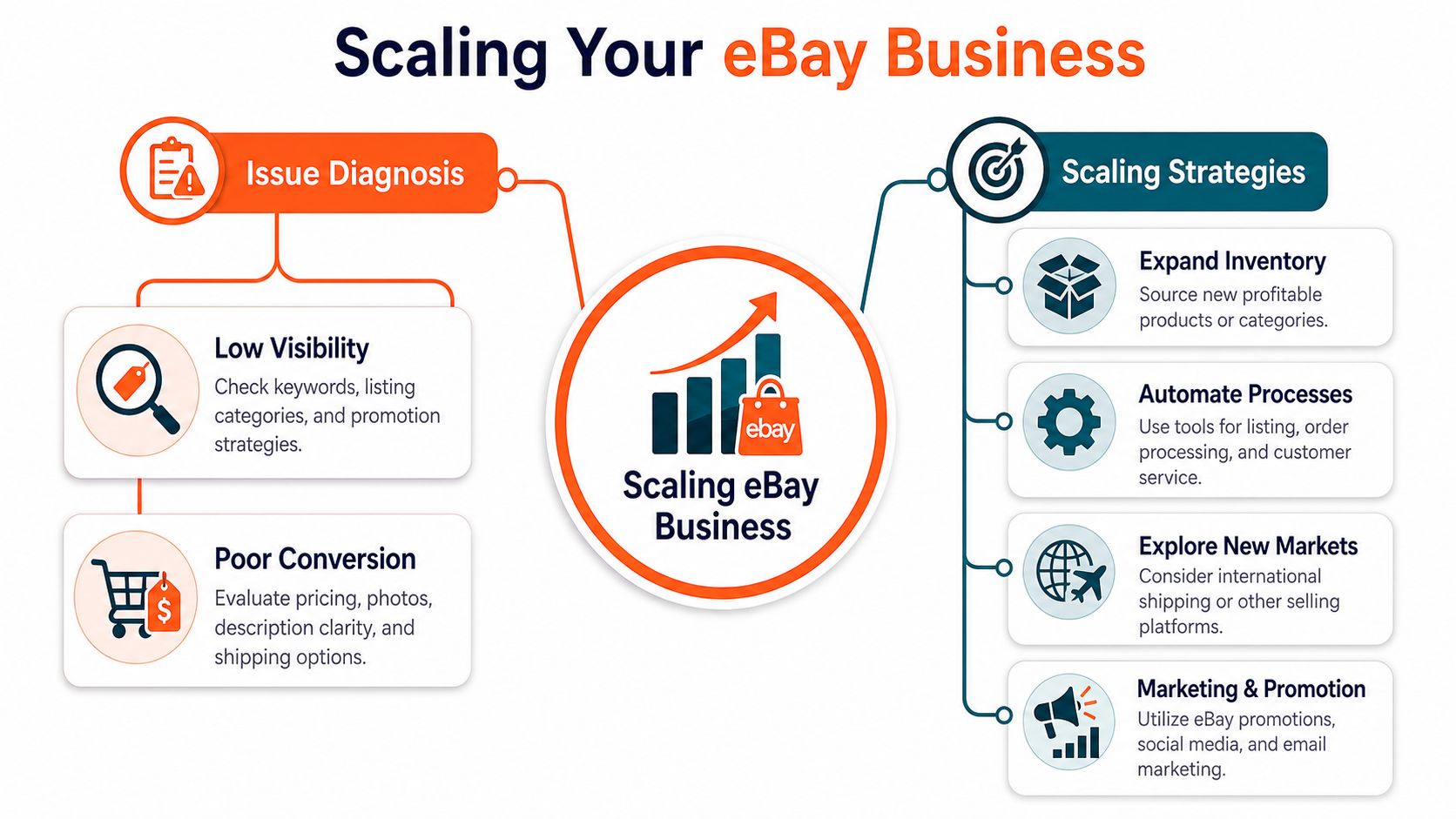
If a listing underperforms, check whether the problem is visibility or conversion. Weak visibility usually points to the title, category choice, or promotion setup. Weak conversion usually points to price, photos, description clarity, or shipping terms.
That post-launch troubleshooting is the gap many beginner guides miss. A strong guide on eBay selling basics notes that sellers often don't get a framework for deciding when to use Sell Similar, run promotions, or rewrite content completely after publishing (post-launch optimization gap). That matters because a bad first draft doesn't have to stay bad, but it does need a deliberate fix.
Think like a brand, not just a lister
Scaling on eBay is easier when the content is structured well enough to support both buyers and the platform. Amazon's Alexa for Shopping now compares products and summarizes results directly in the shopping interface, which shows how quickly discovery is moving from keyword retrieval toward machine understanding (Alexa for Shopping overview). Amazon's replacement of Rufus with Alexa for Shopping was also described as free to logged-in U.S. customers, which reinforces the point that AI-led shopping is becoming mainstream, not experimental (Alexa replaces Rufus).
Walmart's Sparky points in the same direction. Major marketplaces are building conversational discovery layers, so product content has to be complete enough for systems that synthesize information, not just match terms. That's why accurate attributes, honest descriptions, and clear image sets are becoming core business assets, not just listing chores.
If your listings are live but inconsistent, clean up one underperformer today. Recheck the title, sold comps, photos, and description, then decide whether it needs a Sell Similar refresh or a full rewrite. If you want a faster way to turn that workflow into publish-ready marketplace content, start with Cosmy at cosmy.ai.